



Communication is the backbone of any large business, but are your teams really connected the way they should be?
Many enterprises still struggle with dropped calls, inefficient call flows, and outdated phone systems that slow down productivity.
So, how can businesses ensure seamless communication across departments and locations?
The answer lies in adopting a reliable VoIP phone system. It allows calls to be made over the internet, offering flexibility, scalability, and features like softphones, virtual phone numbers, and easy team collaboration.
With the right provider, your organization can stay connected effortlessly, reduce costs, and improve customer experience. But the real question is, how to find the right VoIP phone system?
↔️To help you find the right solution, we’ve rounded up the ten best VoIP phone system providers for large businesses in 2025.
🔑 KEY HIGHLIGHTS
- Some of the best VoIP phone system providers are KrispCall, Vonage, x8, GoToConnect, Ooma, Avaya, Dialpad, and Nextiva.
- VoIP streamlines communication for large businesses by reducing costs, supporting remote work, and improving call management.
- Features like AI-powered call routing, agent capacity tracking, and real-time analytics optimize call handling and customer service.
- While VoIP systems offer affordability, some providers charge high fees for advanced features, making careful selection essential.
- Companies should evaluate their call volume, remote workforce needs, and integration requirements before selecting a VoIP provider.
Overview of VoIP Phone System Providers for Large Businesses
VoIP is revolutionizing business communications. Most companies are now moving away from using traditional landlines and switching to VoIP phone systems for making and receiving calls. This shift cuts costs and provides added convenience.
For large organizations, the VoIP phone system is a scalable, feature-rich solution for a multitude of locations, heavy call traffic, and remote teams.
Here is why businesses need VoIP phone systems:
- All-in-one platform: No matter the size or location of your offices, be it in separate countries or continents, VoIP can connect them all through the same platform.
- Extensive call handling: These systems help you handle a high volume of calls.
- Support for remote work: Employees can receive calls from anywhere and provide support to customers.
- Enhanced customer service: Advanced features like intelligent call routing, IVR, call recording, and real-time analytics enable businesses to ensure customers get exceptional customer service.
- Affordable: For multinational corporations, VOIP is an excellent option since international and distant calls have significantly lower charges than traditional landlines.
10 Best VoIP Phone System Providers for Large Businesses
Choosing the best VoIP provider is crucial for any business. But you might be in a dilemma about which one is right for your business. So, to make it easy for you, we have selected the 10 best VoIP phone system providers based on features, pricing, scalability, and enterprise support capabilities.
| Provider | Features | Benefits | Price |
| KrispCall | Virtual phone numbers in 100+ countries,
Call routing, CRM integrations |
Global connectivity, Exceptional voice clarity, 24/7 enterprise support | Starting at $15/user/month |
| Vonage | Unified communications (voice, video, SMS),
120+ Integrations, Advanced call management |
Proven uptime reliability, Compliance with strict industries,
Flexible deployment options |
Starting at $19.99/user/month |
| 8×8 | Call forwarding, Omnichannel communication,
Integrated contact center |
99.999% uptime,
Single platform for all communication, Predictable international calling rates |
Starting at $24/user/month |
| GoTo Connect | Video conferencing, call forwarding, and call routing | Intuitive admin portal, Unlimited auto attendants, Flexible pricing with no contracts | Starting at $26/user/month |
| Ooma | Virtual receptionist,
Call park & transfer, Voicemail-to-email transcription |
Easy setup,
Reliable call quality, Transparent pricing |
Starting at $19.95/user/month |
| Avaya | UCaaS platform (voice, video, messaging), Advanced call handling, AI-enhanced analytics | Carrier-grade reliability, Extensive customization, Global presence | Starting at $20/user/month |
| Dialpad | AI-powered voice intelligence,
Omnichannel contact center, Real-time coaching |
Innovative AI features, Modern user interface, Continuous product updates | Starting at $27/user/month |
| Nextiva | Unified communications, CRM integrations,
Advanced IVR, |
99.999% uptime, Dedicated customer support,
Integrated experience insights |
Starting at $25/user/month |
| RingCentral | Unified communications,
Advanced call management, Video conferencing |
Extensive integrations, Flexible deployment, Strong analytics tools | Starting at $30/user/month |
| Genesys | Omnichannel routing, AI-powered workforce tools, and Predictive routing | Industry-leading contact center,
Global infrastructure, Advanced AI-driven insights |
Starting at $75/user/month |
1. KrispCall
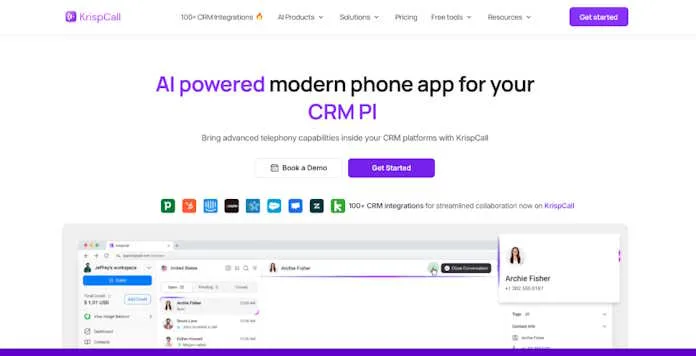
KrispCall has positioned itself as an industry leader in the cloud-based business phone system for large businesses with complex communication needs. It provides features such as a unified callbox, Multi-level IVR, call forwarding, call analytics, voicemail greeting, and more. These features make KrispCall a powerful and flexible solution for large businesses looking to optimize their collaboration across teams.
Key Features
- Virtual phone numbers in 100+ countries with local presence capabilities
- Unlimited extensions and call transfers for extensive team management
- Advanced call routing and IVR
- Custom API integrations with major CRM and helpdesk platforms
- Enterprise-grade security with end-to-end encryption and compliance certifications
Benefits
- Provides global connectivity that allows enterprises to establish a local presence worldwide.
- 24/7 dedicated enterprise support with guaranteed response times.
- Offers advanced features at an affordable price.
Pricing
- Essential: $15 per user per month
- Standard: $40 per user per month
- Enterprise: Custom pricing
What is KrispCall missing?
Every coin has two sides: KrispCall has its advantages, but video conferencing features may fall short relative to dedicated video solutions for larger enterprises. Furthermore, some users claim that some of the advanced features are relatively complex compared to those of some competitors.
2. Vonage
From their decades of experience in the telecommunications industry, Vonage Business Communications provides enterprise-grade VoIP solutions. Their platform excels in integrating with existing software ecosystems, making it efficient for enterprises and suitable for tasks such as sharing PDF documents internally or holding meetings. Additionally, it offers advanced features like call analytics, auto-attendant, and CRM integrations to streamline operations across global teams.
Key Features
- Unified communications suite with voice, video, SMS, and team messaging
- Conference calling supporting up to 100 participants
- 120+ integrations with popular business applications
- Advanced call management with auto-attendant and call groups
- Call analytics and reporting tools for performance optimization
Benefits
- Established reliability with proven uptime performance.
- Regulatory compliance features for industries with strict requirements.
- Flexible deployment options to match IT infrastructure requirements.
- Extensive developer tools for custom integrations.
Pricing
- Mobile: $19.99/user/month
- Premium: $29.99/user/month
- Advanced: $39.99/user/month
What is Vonage missing?
Some users claim that Vonage’s enterprise plans get pricy due to advanced features, rendering them counterproductive to some bigger companies. Other users have also claimed that while the platform has a lot of features, the interface is outdated and cumbersome when compared to newer solutions.
3. 8×8
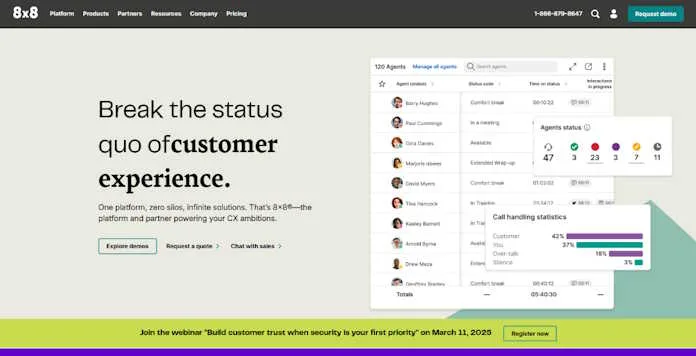
8×8 provides an all-in-one solution combining all digital communication tools in the cloud, on a centralized platform. This platform is ideal for large global corporations with extensive operations and compliance requirements. Its AI-powered analytics, global calling capabilities, and CRM integrations enhance productivity and customer experience.
Key Features
- Global reach with data centers in multiple regions
- Omnichannel capabilities across voice, email, chat, and social
- Integrated contact center capabilities
- Advanced analytics with speech analytics and quality management
- Team messaging and collaboration tools
Benefits
- 99.999% uptime SLA (less than 5.5 minutes of downtime per year).
- Single platform for all communication needs.
- Comprehensive security framework with role-based access control.
- Affordable global calling rates for international businesses.
Pricing
- X2: $24/user/month
- X4: $44/user/month
- X6: $85/user/month
- X7: $110/user/month
- X8: $140/user/month
What is 8×8 missing?
Some users have stated that this platform’s additional features come at a high cost compared to large enterprise plans from some competitors. Users need to invest their extra time to know and use the advanced features.
4. GoTo Connect
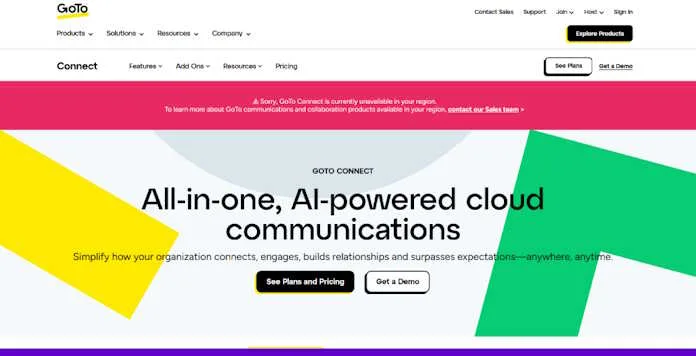
GoTo Connect focuses on developing a versatile communication service that is easy to use but also incorporates enterprise-grade capabilities. Their solution stands out for large corporations searching for hassle-free implementation and low IT investment. Its features, like call forwarding, auto-attendant, and mobile apps, ensure seamless communication across teams and locations.
Key Features
- Over 80 VoIP features, including call recording and monitoring
- Visual dial plan editor for custom call flows
- Advanced call queues with real-time dashboards
- Integrated video conferencing with GoTo Meeting
- Time-based routing rules for global operations
Benefits
- Intuitive administration portal requiring minimal training.
- Unlimited auto attendants for complex organizational structures.
- Affordable per-user pricing with all features included.
- No long-term contracts are required, offering flexibility.
Pricing
- Phone System: $26 per user/month
- Connect CX: $34 per user/month
- Contact Center: $80 per user/month
What is GoToConnect missing?
GoTo Connect’s contact center capabilities are not as strong as those of some dedicated CaaS vendors. Users also stated that businesses need to pay additional prices for customization.
5. Ooma

With Ooma Enterprise, mid-sized and large businesses can take advantage of a flexible VoIP offering that incorporates ease of use for users and enterprise-level features on the system side. Its advanced call management tools, including auto-attendant and call forwarding, streamline communication across teams. Ooma’s scalability and integration with CRM and business software make it a flexible choice for growing enterprises.
Key Features
-
- Virtual receptionist with multi-level configurations
- Call park and transfer options for complex call handling
- Ring groups and extensions for departmental organization
- Call recording with automatic cloud storage
- Voicemail to email transcription
Benefits
- It offers a straightforward setup with guided implementation.
- Reliable call quality with dynamic bandwidth optimization.
- Transparent pricing with no hidden fees.
- Hardware-agnostic deployment with bring-your-own-device options.
Pricing
- Ooma Office Essentials: $19.95/user/month
- Office Pro: $24.95/user/month
- Office Pro Plus: $29.95/user/month
What is Ooma missing?
Ooma’s analysis capabilities are not as robust as those of some competitors that specialize in enterprise-level integrations. While the Ooma platform does support advanced integrations, its offerings do not match the sophistication of more established competitors in the market.
6. Avaya
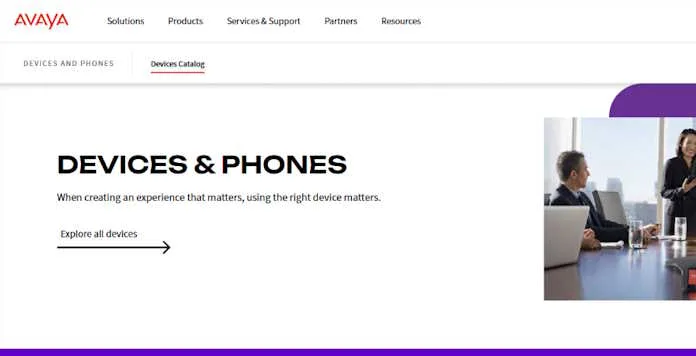
Avaya is a cloud-based contact center designed for remote teams. It enhances workplace efficiency by enabling agents and managers to communicate effortlessly through video calls and instant messaging. Plus, it seamlessly integrates with many leading software platforms. Its customizable cloud and on-premise solutions cater to enterprises with complex communication needs.
Key Features
- Comprehensive UCaaS platform combining voice, video, and messaging
- Advanced call handling with detailed routing logic
- An extensive device ecosystem supporting desk phones, softphones, and mobile
- Enterprise-grade security with multiple compliance certifications
- AI-enhanced analytics for actionable business intelligence
Benefits
- Carrier-grade reliability with distributed architecture.
- Extensive customization options for unique business needs.
- Established global presence with support in multiple languages.
- Hybrid deployment options bridging cloud and on-premises.
Pricing
- Core: $20 per user/month
- Advanced: $25 per user/month
- Ultra: $35 per user/month
What is Avaya missing?
Avaya has some limitations that users have noted. For instance, certain features like the “Feature Manager” or “Button module” are not always displayed on the Avaya Workplace interface. Additionally, there are issues with the J100 series phones not displaying specific feature buttons correctly.
7. Dialpad
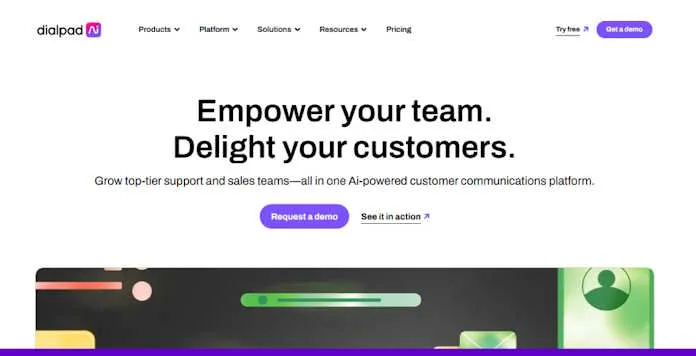
Dialpad offers an AI-infused communications solution with a focus on intelligence and increased automation. Their solution is one of the most innovative for large enterprises that wish to utilize voice data to improve business outcomes and customer satisfaction. Featuring live chat, phone support, and a comprehensive knowledge base, Dialpad is a reliable option for customer service teams.
Key Features
- AI-powered Voice Intelligence for real-time transcription and analysis
- Native CRM integrations with Salesforce, HubSpot, etc
- Omnichannel contact center capabilities
- Call routing based on skills and availability
- Real-time coaching for sales and support teams
Benefits
- Intuitive, modern interface requiring minimal training.
- Continuous product improvement with regular feature updates.
- 100% uptime SLA for enterprise customers.
Pricing
- Standard: $27/user/month
- Pro: $35/user/month
- Enterprise: Custom pricing
What is Dialpad missing?
Some users have noted that it lacks certain advanced features. For example, some enterprises have observed that Dialpad’s reporting and analytics capabilities are not as comprehensive as those of other platforms.
8. Nextiva
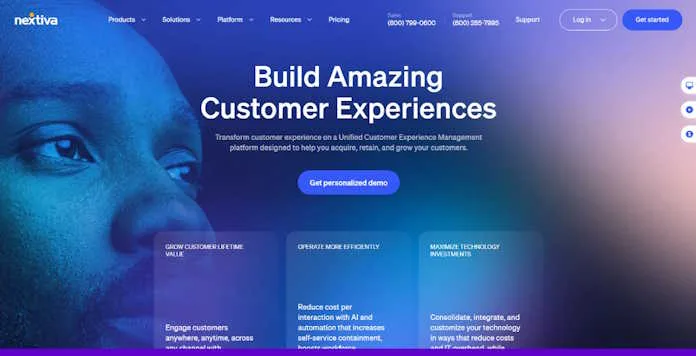
Nextiva tailors its communication products for large enterprises, offering a VoIP-integrated communications platform that prioritizes customer experience management. The platform ensures reliability and meets other critical business needs. With Nextiva hosting the system, all software maintenance is handled on their end, alleviating the burden on enterprises.
Key Features
- Advanced IVR system with visual designer
- Call analytics and reporting with customizable dashboards
- Customer journey analytics for experience optimization
- Survey and feedback tools integrated with voice communications
Benefits
- Industry-leading reliability with 99.999% uptime.
- Excellent customer support with dedicated success managers.
- Unique customer experience insights through integrated analytics.
- Proprietary network infrastructure for call quality assurance.
Pricing
- Digital: $25 per user per month
- Core: $36 per user per month
- Engage: $50 per user per month
- Power Suite: $75 per user per month
What is Nextiva missing?
Users have noted that it lacks certain advanced features compared to other platforms. While Nextiva offers a comprehensive set of VoIP features, it may not provide the same level of customization and integration capabilities as some competitors.
9. RingCentral
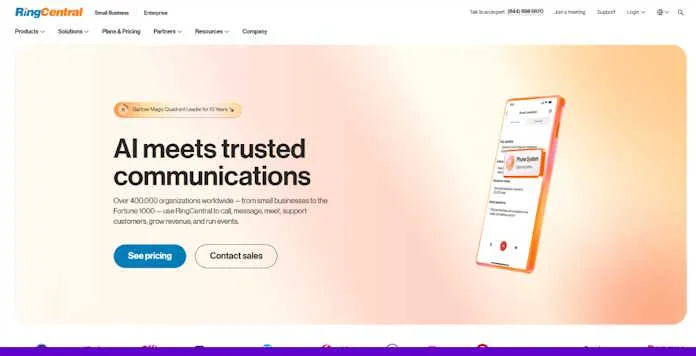
RingCentral provides an all-in-one cloud communications platform with VoIP, video conferencing, team messaging, and collaboration tools for large businesses. Its advanced features include call forwarding, auto-attendant, CRM integrations, and detailed analytics. RingCentral’s scalability and global reach make it a top choice for enterprises looking for flexible, reliable, and unified communication solutions.
Key Features
- Comprehensive UCaaS platform with messaging, video, and phone
- Advanced call management with IVR and call queues
- Developer platform with extensive APIs
- HD video meetings with up to 200 participants
- Team messaging with task management
Benefits
- An extensive ecosystem of integrated applications.
- Flexible deployment options for different IT environments.
- Comprehensive analytics for voice and digital channels.
- Strong developer support for custom integrations.
Pricing
- Core: $30/user/month
- Advanced: $35/user/month
- Ultra: $45/user/month
What is RingCentral missing?
RingCentral lacks some advanced features, such as comprehensive contact management in the desktop app and certain functionalities in RingCentral Video. Users have also reported issues with SMS text features and integration capabilities.
10. Genesys
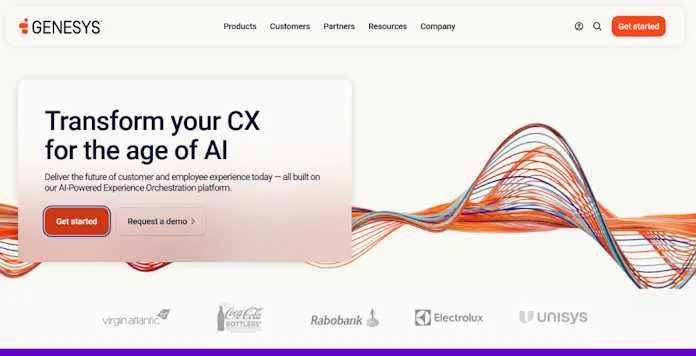
Genesys offers a comprehensive cloud-based contact center solution that includes VoIP, AI-powered customer service, and omnichannel support for large businesses. Its advanced features, like intelligent call routing, workforce management, and real-time analytics, help streamline customer interactions and improve service quality.
Key Features
- Omnichannel routing across voice and digital channels
- AI-powered workforce engagement tools
- Predictive routing based on customer and agent profiles
- Advanced IVR with natural language processing
- Comprehensive analytics with predictive capabilities
Benefits
- Industry-leading contact center capabilities integrated with core communications.
- Extensive AI implementations are improving customer and agent experiences.
- Global infrastructure supporting international operations.
- Comprehensive professional services for enterprise implementations.
Pricing
- Cloud CX 1: $75/user/month
- Cloud CX 2: $115/user/month
- Cloud CX 3: $155/user/month
What is Genesys missing?
Genesys has some limitations that users have noted. For instance, certain features like multi-contextual panels have occasionally disappeared or reverted to the legacy UI. Additionally, some features may require specific permissions to be visible in the user interface.
How to Choose the Right VoIP Phone System Providers for Large Businesses?
Selecting the optimal VoIP solution for your large business requires careful consideration of several key factors:
1. Understand Your Business Needs
Begin by assessing your company’s internal communication within and outside the organization:
- Peak periods: What is the volume of calls you handle on a daily basis? What about peak times?
- Location of Users: Are your employees located in one office or PoPs across different geographic regions?
- Essential functions: Do you require AI routing, analytic engines, or CRM integrations?
- Regulatory Compliance: Does your organization have HIPAA, GDPR, or any other strict industry-specific security frameworks?
- Future growth potential: If so, how will your requirements change in the next 3-5 years? Future proof.
2. Check Reliability & Uptime
Ensure your service provider guarantees 99.99% uptime or better, holds a strong industry presence, and has a solid reputation. Here are some questions to consider asking:
- What is their true uptime history? Look beyond marketing claims.
- Do they have built-in redundancy? Backup systems should prevent outages.
- How do they handle maintenance? Scheduled downtime should be kept to a minimum.
- Where are their data centers located? A mixed geography network helps improve call quality across the globe.
3. Understand the Total Cost
As with most technology solutions, the pricing for VoIP can get confusing, so simply look at the base cost per user:
- Compare available plans: Does this provider’s plan come with integrations?
- Check international rates: Are there specific countries you will be calling?
- Factor in setup costs: Is training required for the staff, or do you need new hardware?
- Watch for hidden costs: Some integrations or support fees can catch businesses unaware.
4. Look at Integration Options
The VoIP technology should fit into your existing setup. Before going for a system, you should consider the following.
- Look for pre-built connectors to your CRM, helpdesk, or other business applications.
- If you need pre-built connectors, check if API access is available.
- Will this system work with your setup, and is there any additional development work needed to make it fit?
- Will you need extra development work to make it fit?
5. Prioritize Security & Compliance
Because your business deals with delicate information, you need security. Your provider should have the following features:
- Strong encryption: Ensures data is safeguarded in transit and storage.
- Industry compliance: What regulations apply to you, HIPAA, GDPR, or others?
- Access controls: Multi-factor authentication and role-based access.
- Detailed data policies: For what duration is data retained? Is the retention controllable?
- Plans for security response: In case of any breach, what action is taken?
Conclusion
VoIP is shaping the future of business communication, but not every solution fits enterprise-level needs. The ten providers highlighted stand out for their innovation, reliability, and scalability.
Whether you need intelligent routing, seamless global integration, or enhanced customer interactions, there is a VoIP system that fits your business. Take the time to assess your needs, compare features, and choose a solution that keeps your business connected and competitive in 2025.
FAQs
What is the average cost of a VoIP phone system?
The cost of a VoIP phone system typically falls between $10 and $40 per user each month, depending on the provider, number of users, and included features. Basic plans are on the lower end, while advanced enterprise options with more functionalities tend to be pricier.
Is there a limit to how many VoIP lines you can have?
A significant advantage of VoIP is its scalability, enabling businesses to add or remove lines as needed. Since there’s no set limit on the number of lines, it’s an excellent option for companies planning to grow and manage multiple numbers.
How do I set up a VoIP phone for my business?
Getting a VoIP phone up and running for your business is simple. Start by selecting a VoIP provider and choosing a plan that fits your needs. Then, set up a VoIP phone and adjust its settings based on your provider’s instructions. Lastly, connect it to the internet and run a quick test to ensure everything works properly.
What are the disadvantages of VoIP in business?
VoIP offers businesses advantages like cost efficiency and scalability, but it also has a few drawbacks. Its most significant limitation is its reliance on a stable internet connection, which can be challenging in areas with weak connectivity. Additionally, VoIP systems may be at risk of security threats, potentially exposing sensitive business data.
What hardware do I need for a VoIP-based business phone system?
Setting up a VoIP business phone system requires essential hardware like a VoIP phone, router, and modem. For larger businesses, additional equipment, such as a server or switch, may be necessary. Be sure to verify your hardware setup to prevent potential issues with VoIP functionality.
Is VoIP reliable for business?
VoIP has significantly improved over the years and is now a dependable choice for businesses of all sizes. However, like any technology, it can have challenges. A slow or unstable internet connection may lead to dropped calls or poor audio quality. With a strong network, businesses can take advantage of precise and reliable voice communication.