



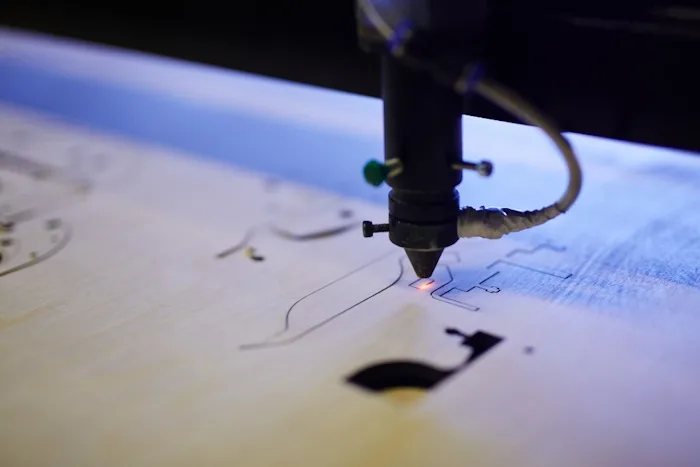
Introduction: Is the Creality Falcon Right for You?
As a seasoned maker who’s spent countless hours with various laser engravers, I know how overwhelming it can be to choose the right machine. Today, we’re diving deep into the Creality Falcon series – machines like the Falcon 10W, Falcon 2, and others that have captured the attention of hobbyists and small businesses alike. If you’re pondering whether this is the laser engraver to ignite your creative projects or scale up your production, you’re in the right place. This review cuts through the marketing hype to give you a real-world perspective, helping you make an informed decision. Let’s see if the Falcon truly flies!
First Impressions: Unboxing, Assembly, and Build Quality
Packaging & Included Components
My Creality Falcon arrived well-packaged, with each component nestled securely in foam. You’ll find the main gantry, laser module, power supply, USB cable, safety goggles, and a few small samples of material to get you started. It’s a pretty standard lineup, but everything feels thoughtfully arranged.
Assembly Process: Simple Setup
Honestly, assembly was a breeze. Creality has done a great job streamlining this. Following the clear instructions, I had the Falcon fully assembled and ready to connect in under 20 minutes. It mostly involves bolting a few pre-assembled sections together, a testament to their user-friendly design.
Design & Build Quality: Solid Frame
The machine feels robust. The all-aluminum alloy frame provides excellent stability, which is crucial for precise engraving. There’s minimal wobble, and the overall aesthetic is clean and industrial. It definitely instills confidence in its longevity.
Key Features & Specs: What Makes the Falcon Fly?
Laser Power & Technology: Diode Efficiency
The Creality Falcon series typically utilizes powerful diode lasers. For instance, the 10W model is a workhorse, while the Falcon 2 offers options up to 22W or even 40W, packing a significant punch for its price point. These lasers are efficient for engraving and surprisingly capable at cutting.
Working Area: Ample Space for Projects
With a generous working area (e.g., 400x415mm), the Falcon handles most common projects with ease. This size is ideal for everything from small intricate pieces to larger signs, giving you plenty of creative freedom.
Focusing Mechanism: Mostly Manual, but Easy
Many Falcon models use a simple manual focusing mechanism, often a fixed-focus laser with a convenient focusing aid like a jig. While not autofocus, it’s quick, accurate, and becomes second nature after a few uses.
Safety Features: Prioritizing Protection
Creality prioritizes safety. You’ll find an emergency stop button, limit switches to prevent crashes, a flame detection system, and often a child lock. The protective laser shield is essential for eye safety, but always wear your provided goggles!
Connectivity Options: Flexible Control
Connectivity is versatile, typically offering USB for direct computer connection and an SD card slot for offline operation. Some advanced models even include Wi-Fi, allowing you to send files wirelessly – a convenient perk.
Integrated Air Assist: Cleaner Cuts
For cutting performance, integrated air assist is a game-changer. It helps blow away smoke and debris from the cutting area, leading to cleaner edges, reduced charring, and better overall results. It’s a feature you’ll appreciate on the more powerful models.
Motion System & Accuracy: Precise Movements
The gantry design combined with reliable stepper motors ensures smooth, precise movements. This translates directly to high accuracy in your engravings and cuts, reproducing fine details consistently.
Software & User Experience: Getting Started
Included Software (Creality Laser): Basic Control
The proprietary Creality Laser software is generally basic but functional. It’s good for quick starts and simple projects, offering essential controls for power, speed, and positioning. However, you’ll likely outgrow it quickly.
LightBurn Compatibility: The Must-Have Upgrade
Here’s the real advantage: the Creality Falcon series integrates flawlessly with LightBurn. This powerful third-party software unlocks the full potential of your machine, offering advanced features, precise control, and an intuitive interface that makes complex projects manageable. It’s an essential upgrade for any serious user.
Ease of Use & Learning Curve: Moderate Learning
While assembly is easy, mastering laser engraving does have a learning curve. Understanding material settings, power/speed combinations, and software nuances takes time. However, the Falcon is forgiving, and plenty of online resources ease the process.
Firmware Updates & Community Support: Always Improving
Creality regularly releases firmware updates, improving performance and adding features. The community support for Creality products is also vast, meaning help and inspiration are always just a forum post away.
Performance Tests: Engraving & Cutting Capabilities
Engraving Quality: Sharp and Detailed
On Wood: The Falcon produces crisp, detailed engravings on wood, capturing subtle grayscale variations beautifully. Depth is respectable for diode lasers.
On Acrylic & Leather: Expect clean, consistent lines on acrylic and impressive depth and texture on leather.
On Slate & Metal: While it can etch coated metals and engrave slate effectively, it won’t deeply engrave bare metal like a fiber laser.
Photo Engraving Capabilities: With careful settings and good image preparation, the Falcon can produce surprisingly good photo engravings, especially on wood.
Cutting Performance: Capable and Consistent
On Wood (plywood, basswood): The Falcon handles various wood thicknesses, cutting through 3-5mm plywood in a few passes and thinner basswood quickly. Air assist significantly improves edge cleanliness.
On Acrylic: It can cut thinner acrylic sheets, though clear acrylic often requires more passes and careful settings. Darker acrylics perform better.
On Cardboard & Paper: These materials are a breeze, cutting quickly and cleanly, making it perfect for custom packaging or intricate card designs.
Speed & Efficiency: Gets the Job Done
The Falcon is respectably fast for a diode laser, allowing you to complete common tasks efficiently. While not a production powerhouse for ultra-fast cuts, it’s excellent for hobby and small-batch work.
Noise Levels During Operation: Manageable Hum
During operation, the fans and stepper motors produce a moderate hum. It’s not whisper-quiet, but it’s far from industrial-grade noise, making it manageable in a workshop environment.
Pros & Cons: A Balanced Perspective
Advantages of the Creality Falcon
Easy Assembly: Get up and running quickly.
Solid Build Quality: Durable and stable aluminum frame.
Good Power for Price: Excellent engraving and cutting capabilities for a diode laser.
LightBurn Compatibility: Unlocks advanced control and features.
Key Safety Features: Provides peace of mind during operation.
Integrated Air Assist (on some models): Improves cutting quality dramatically.
Disadvantages & Limitations
Learning Curve for Beginners: While assembly is easy, mastering the software and settings takes time.
No Native Autofocus (on most models): Requires manual focusing, though it’s simple.
Diode Laser Limitations: Won’t cut clear acrylic easily or deeply engrave bare metals.
Proprietary Software is Basic: You’ll want LightBurn for serious work.
Creality Falcon vs. The Competition: How Does It Compare?
Comparison with Ortur Laser Master
The Falcon often offers comparable power and build quality to Ortur’s popular Laser Master series, sometimes with a slight edge in integrated safety features or ease of assembly right out of the box. Pricing is generally competitive.
Comparison with Atomstack X & XTool
When stacked against Atomstack X models or XTool’s D1 series, the Falcon often holds its own in terms of performance and features, particularly the higher-wattage Falcon 2. XTool might offer more refined ecosystem features, but Creality often delivers a strong performance-to-price ratio.
Who Should Buy the Creality Falcon?
The Creality Falcon is perfectly suited for hobbyists looking to step up their game, beginners willing to learn the ropes of LightBurn, and small businesses needing a reliable, cost-effective machine for custom products. It’s a fantastic entry to mid-level machine.
Essential Safety & Maintenance Tips
Mandatory Safety Precautions: Don’t Skip These!
Always, always wear your laser safety goggles. Keep a fire extinguisher or fire blanket nearby. Never leave the machine unattended while operating, and ensure children and pets are kept away.
Ventilation Requirements: Breathe Easy
Laser engraving generates fumes. Operate in a well-ventilated area, preferably with a dedicated fume extraction system or near an open window with a fan pushing air outwards. Your lungs will thank you.
Routine Maintenance: Keep It Running Smoothly
Regularly clean the laser lens with a specialized wipe and isopropyl alcohol. Keep the gantry rails and belts free of dust and debris. Periodically check belt tension for optimal performance.
Troubleshooting Common Issues
If you’re facing focusing problems, double-check your material thickness and jig placement. Software connection issues often resolve with a restart or driver update. For cutting issues, experiment with speed/power settings and ensure your air assist is engaged.
Value for Money & Final Verdict: Is It Worth It?
Pricing Analysis: A Smart Investment
Considering its build quality, performance, and features, the Creality Falcon offers excellent value for money. It positions itself competitively against other diode lasers, often giving you more bang for your buck, especially when you factor in its robust design.
Overall Recommendation: A Solid Choice
Yes, I wholeheartedly recommend the Creality Falcon series. It’s a powerful, reliable, and user-friendly machine that excels at a wide range of engraving and cutting tasks. It’s a smart investment for anyone serious about bringing their creative visions to life.
Who Will Benefit Most?
This machine shines for those who want a capable laser engraver without breaking the bank, who are ready to dive into the vast world of LightBurn, and who appreciate a sturdy, well-engineered tool. It’s truly a fantastic asset for any maker’s workshop.
Frequently Asked Questions (FAQ)
Can the Creality Falcon engrave metal?
It can engrave on coated metals (like anodized aluminum) and etch some bare metals, but it won’t create deep engravings on raw metal.
What software does the Creality Falcon use?
It comes with Creality Laser software, but it’s highly recommended to use LightBurn for advanced control and capabilities.
Is the Creality Falcon good for beginners?
Yes, its easy assembly and LightBurn compatibility make it a strong contender for beginners willing to learn the software.
What safety precautions should I take?
Always wear safety goggles, ensure good ventilation, have a fire extinguisher nearby, and never leave it unattended.
What materials can the Creality Falcon cut/engrave?
It can engrave wood, acrylic, leather, paper, slate, coated metals, and cut wood, acrylic, paper, and cardboard (thickness varies by laser power).