



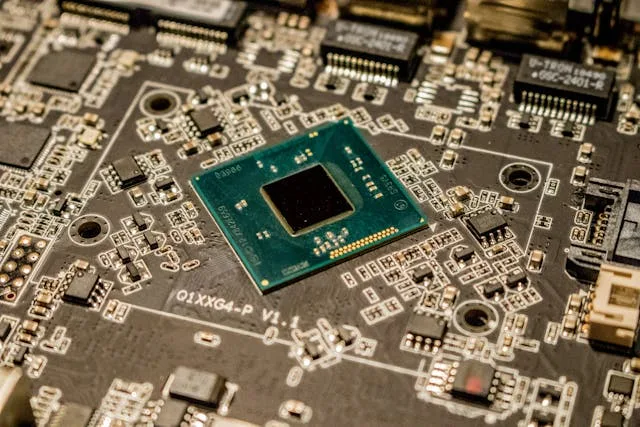
When your gaming PC isn’t performing as well as you expected, even with a powerful graphics card, the problem might not be the GPU; it could be your CPU holding things back.
Understanding CPU bottlenecks helps you build or upgrade your PC in a way that keeps every part working smoothly together. In this guide, we’ll break down what a CPU bottleneck is, how to spot it, and what you can do to balance your system for better performance.
What Is a CPU Bottleneck?
A CPU bottleneck happens when your processor can’t keep up with your graphics card or other components, limiting your overall system performance. It’s like having a traffic jam inside your PC; no matter how fast your GPU is, it can’t move data any quicker than the CPU allows.
Your CPU and GPU work together to render frames in games or process data in applications. If your CPU is slower, it can’t deliver instructions to the GPU fast enough, which leads to lower frame rates and occasional stutters.
For example, pairing a mid-range processor with a top-tier GPU often results in a noticeable performance gap, especially in CPU-heavy games like Cyberpunk 2077 or Cities: Skylines II.
As Josh Barrett, founder of TheTechFluencer.com, explains: “A lot of people assume buying a more powerful GPU instantly boosts performance, but without a balanced CPU, that extra power goes to waste. It’s all about harmony between components.”
CPU bottlenecks don’t always mean your system is weak. Sometimes, certain games or software rely more heavily on the CPU, which can cause momentary slowdowns. Understanding these situations helps you make smarter upgrade choices and get the most out of your build.
Signs You’re Experiencing a CPU Bottleneck
You can often feel when your CPU is slowing things down, but there are also clear technical signs to look for.
Here are some common indicators of a CPU bottleneck:
- High CPU usage with low GPU usage: If your processor is consistently at 90–100% while your GPU is idling around 50%, your CPU is the limiting factor.
- Uneven frame rates or stuttering: Games that should run smoothly start lagging or dropping frames even though your GPU isn’t maxed out.
- Slower performance in open-world or simulation games: Titles that simulate lots of background activity often rely on strong single-core CPU performance.
- Delayed response times in multitasking: Running multiple programs at once feels sluggish, even if your system has plenty of RAM and GPU power.
- Benchmark results showing low CPU scores: Tools like Cinebench or 3DMark highlight when your CPU lags behind comparable builds.
If you notice these signs, your system may be out of balance, and addressing that bottleneck can unlock significant extra performance without replacing your entire setup.
Common Causes of CPU Bottlenecks
A CPU bottleneck usually happens when one part of your system is much faster than the rest. Here are some of the most common causes that create an imbalance in performance.
- Mismatched components: Pairing a powerful GPU like an RTX 4080 with an older CPU such as an Intel i5-9400F often leads to wasted potential because the processor can’t keep up.
- Background tasks consuming CPU power: Programs like Discord, Chrome, or recording software can take up valuable CPU resources during gaming or rendering.
- Low RAM speed or poor configuration: Using slow or single-channel memory limits data flow, which forces the CPU to work harder and slows down overall performance.
- Thermal throttling: If your CPU overheats, it automatically reduces speed to stay cool, cutting down processing power during demanding tasks.
- Outdated BIOS or drivers: An old BIOS or chipset driver can cause inefficient communication between your CPU and other components.
How to Check If Your PC Is Bottlenecked
Before upgrading anything, it’s important to confirm if a bottleneck is really happening. You can do this by observing how your system behaves under load.
- Monitor usage with tools: Use free programs like MSI Afterburner or HWMonitor to track CPU and GPU usage during games.
- Compare percentages: If your CPU is consistently near 100% while your GPU stays under 70%, it’s likely the processor is holding you back.
- Run performance benchmarks: Tools like 3DMark or UserBenchmark can show how your system performs compared to similar setups.
- Test with multiple games or workloads: Some games rely heavily on the CPU while others depend on the GPU, so check across different types to see where the slowdown occurs.
- Watch for real-time slowdowns: Notice if your gameplay stutters or your frame rate dips when many background elements appear—those are signs of a CPU limit.
How to Balance Your Build and Reduce Bottlenecks
Building a balanced PC is about matching your parts wisely, not just buying the most expensive ones. When your CPU and GPU are on the same performance tier, your system runs smoother and more efficiently.
Start by matching components based on your goals. If you’re a 1080p gamer, you don’t need a top-tier processor. A mid-range CPU like the Ryzen 5 7600 paired with an RTX 4070 offers a great balance. For high-end 4K gaming, go for a Ryzen 7 7800X3D or Intel i7-14700K with a powerful GPU.
Other ways to reduce bottlenecks include:
- Use faster RAM with proper dual-channel configuration.
- Enable XMP or EXPO profiles in your BIOS to unlock rated memory speeds.
- Close unnecessary background apps when gaming or editing videos.
- Keep drivers and BIOS updated for smoother performance.
Also, ensure proper cooling so your CPU can maintain full speed without throttling. If you’re new to PC building or planning an upgrade, you can check out this detailed guide on how to build a PC for step-by-step help.
Balancing your system isn’t just about performance; it’s also about getting better value for your money. A well-matched build will last longer, run cooler, and stay relevant for future upgrades.
Do CPU Bottlenecks Really Matter?
A small CPU bottleneck is completely normal and often doesn’t affect your real-world experience. However, a serious bottleneck can limit your system’s potential, causing lag, stuttering, or reduced frame rates.
In most cases, a minor bottleneck of around 5–10% isn’t worth worrying about. Games and applications naturally shift workloads between CPU and GPU depending on what’s happening on screen. But when your CPU usage stays at 100% constantly while the GPU idles, performance takes a clear hit.
It’s also worth noting that resolution changes how much a CPU bottleneck matters. At 1080p, the processor does more work, making bottlenecks more visible.
At higher resolutions like 4K, the GPU takes over, and the CPU load decreases. The key is finding a setup that keeps both components busy without overloading one side.
Conclusion
A CPU bottleneck can make even the most powerful graphics card underperform, but understanding how it works helps you build smarter. It happens when your processor limits how fast other parts of your system can work, especially your GPU.
The main takeaway is to build a balanced PC. Match your CPU and GPU tiers, use fast memory, maintain proper cooling, and keep your software up to date. Monitoring tools and benchmarks make it easy to identify where your system is slowing down.
A well-balanced setup not only delivers smoother gaming and faster rendering but also extends your hardware’s lifespan. When every component works in sync, you achieve the optimal blend of performance, stability, and value – exactly what every PC builder aims for.