



If you look around in most offices today, you will notice people don’t just work on desktops anymore. Employees now use phones, tablets, laptops, and even their own personal devices to get work done. With BYOD (Bring Your Own Device) becoming common, and remote work here to stay, companies now have to handle more devices than ever before.
The more devices a company uses, the higher the risk of data leaks and hacks. On top of that, businesses also have to follow strict rules like GDPR, HIPAA, and PCI-DSS to keep data safe. IT departments need a way to protect private information without slowing down work or making things harder.
That’s why MDM, or Mobile Device Management, is so important. MDM tools enable IT teams to monitor, secure, and manage all devices from a single dashboard. They have the ability to track devices, update software, push apps, and even remotely resolve issues.
Let’s look at the top 10 MDM solutions for 2025 along with their key features.
1. Scalefusion
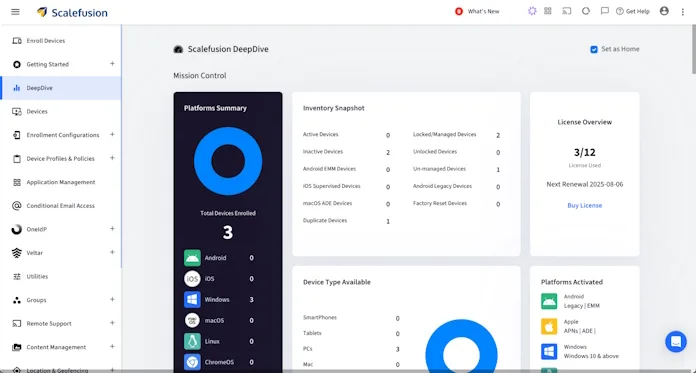
Scalefusion is the most flexible and best MDM tools available. It works on Android, iOS, Windows, macOS, and ChromeOS, making it great for companies that use a mix of devices.
One of its best parts is how well it supports rugged devices used in industries like logistics, healthcare, and retail. It also has kiosk mode and digital signage features, which are helpful in retail shops, schools, or restaurants.
Scalefusion also makes life easy for IT teams with remote troubleshooting features. If a device breaks or an app crashes, IT can fix it from anywhere without touching the device. It has everything you need, like geofencing, app management, kiosk mode, and patch updates.
Key Features of Scalefusion:
- Multi OS support for Android, iOS, Windows, macOS, ChromeOS, Linux
- Single app & multi app Kiosk mode
- Remote cast and control for troubleshooting
- Granular group policy enforcement
- App management
- Content Management
- Location tracking and geofencing
- Patch management for better security
- Seperate container for work and personal data
- Integration with Microsoft Intune, Google Workspace, ITSM tools
Best for: Companies with mixed devices, rugged devices, and kiosk needs.
2. IBM Security MaaS360
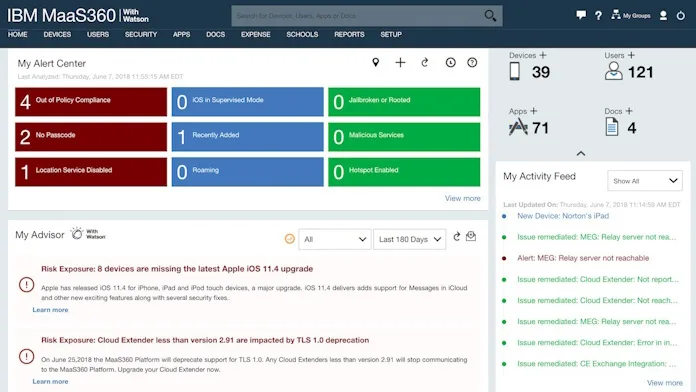
IBM MaaS360 is built with a security-first approach. It uses IBM Watson AI to spot risks and threats before they become serious problems. This makes it a strong choice for industries that need very high security, like banking, government, or healthcare.
It also works well with tools for managing identity and access, which make sure that only the right people can use certain apps or data. It might seem a little challenging for small businesses, but larger enterprises appreciate its reporting and compliance features, especially when they are being audited.
Key Features of IBM MaaS360:
- AI-based threat detection with IBM Watson
- Detailed compliance and reporting
- Access control and identity integration
- Email and file management
- Seperate work and personal container
- Supports Android, iOS, Windows, macOS
Best for: Big businesses in heavily regulated industries like healthcare, finance, and government.
3. Microsoft Intune
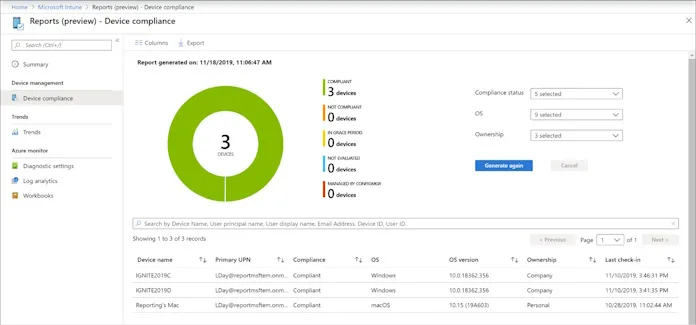
For businesses that already use Microsoft products, Microsoft Intune is a great option. It lets IT teams manage devices and apps in one place, and it connects smoothly with Office 365, Azure AD, and Microsoft Defender. You can also set strict rules for access such as: only allowing a device to connect if it meets the security standards.
For BYOD setups, Intune keeps company data protected by separating work apps from personal ones. While it supports many platforms, it works best with Windows devices. Since it is cloud-based, it is a good choice for companies with remote or hybrid teams.
Key Features of Microsoft Intune:
- Works smoothly with Microsoft 365 and Azure AD
- Conditional access and Zero Trust security
- App protection on BYOD devices
- Remote wipe and selective wipe
- Full Windows lifecycle management
- Supports iOS, Android, macOS too
Best for: Companies using Microsoft tools and needing a cloud-based solution.
4. ManageEngine Endpoint Central
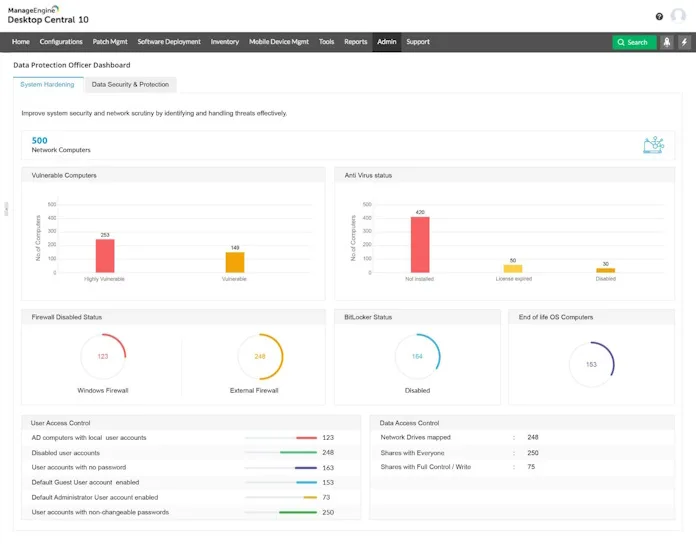
ManageEngine Endpoint Central is more than just MDM. It is a complete endpoint management tool that covers desktops, servers, and mobile devices all in one.
Its main advantage is it can handle several IT tasks such as patch management, OS imaging, software installs, remote troubleshooting, and inventory management. For mid-sized to large businesses, this “all-in-one” approach saves time and money.
Smaller teams may find the interface a bit complicated, but for businesses that require more than MDM, its features are outstanding.
Key Features of ManageEngine Endpoint Central:
- UEM for desktops, servers, and mobiles
- Patch management and OS deployment
- Remote troubleshooting and control
- Bulk software and app deployment
- Asset and inventory tracking
- Mobile policy enforcement
Best for: Mid-to-large organizations that want a full IT management tool.
5. Miradore

Small businesses, schools, and nonprofits like Miradore because it is easy to use and doesn’t cost much.
It even has a free plan that lets you enroll devices and install apps, among other things. Paid plans add features like automation, compliance checks, and the ability to wipe data from remote locations. It is easy for IT teams with fewer resources to use because the interface is clean.
It may not have every advanced feature big enterprises need, but it is a good starting point for businesses that want MDM without a heavy cost
Key Features of Miradore:
- Free plan with basic MDM features
- Device enrollment and configuration
- App distribution and updates
- Remote wipe for lost devices
- Inventory and reporting tools
- Compatible with iOS, Android, Windows, macOS
Best for: Small businesses and schools looking for simple, low-cost MDM.
6. Jamf Pro
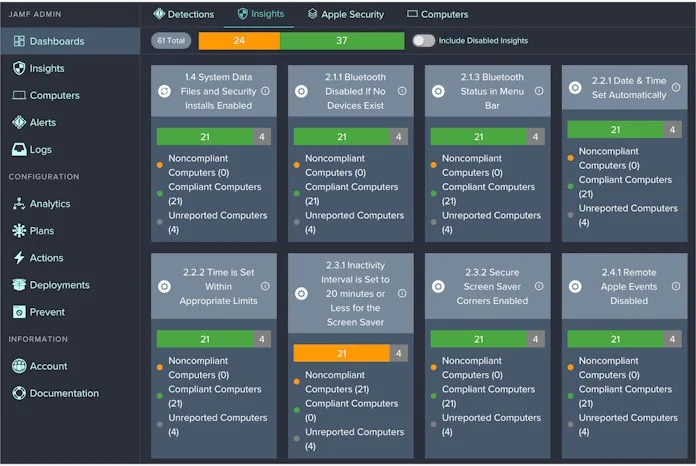
Jamf Pro is the go-to solution for Apple devices. It’s trusted in schools, hospitals, and Apple-heavy workplaces. It makes it easy to set up devices and manage app licenses since it connects straight to Apple’s programs like DEP and VPP.
Admins can send updates, apply security settings, and even give employees their own self-service app store.This makes it great for education and healthcare setups where IT teams manage lots of Apple devices.
It only works with Apple devices, but if your business is all about Apple, Jamf Pro is hard to beat.
Key Features of Jamf Pro:
- Complete compatibility with tvOS, iPadOS, iOS, and macOS
- Automated provisioning with Apple DEP
- App licensing via Apple VPP
- Employee and student self-service portals
- Compliance reporting and monitoring
- Focused on education and healthcare
Best for: Apple-focused organizations needing strong device management.
7. NinjaOne
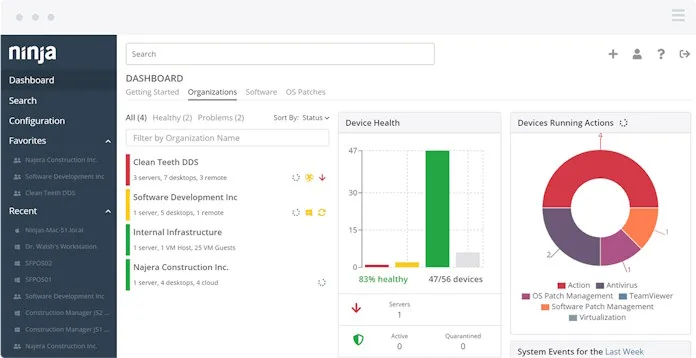
NinjaOne used to be just a tool for remote monitoring, but now it also has MDM. Managed Service Providers (MSPs) who take care of IT for many clients love it the most.
It lets MSPs manage all their clients from one dashboard. It also includes patch updates, scripting, and real-time alerts, so IT providers can handle everything in one place.
The MDM part isn’t as advanced as some others, but with all these features together, it is still a good choice for service providers
Key Features of NinjaOne:
- Multi-tenant dashboard for MSPs
- Remote monitoring and patching
- Automation with workflows and scripts
- MDM for Android and iOS
- Real-time alerts and reports
- Centralized control for all devices
Best for: MSPs managing IT for multiple clients.
8. Kandji
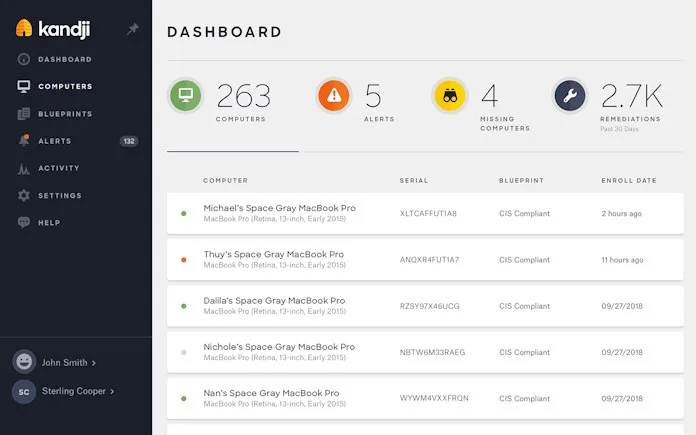
Kandji is an Apple-only MDM that puts focus on automation and compliance. Instead of IT teams setting up every device by hand, it uses ready-made blueprints that follow standards like SOC 2 and CIS.
This speeds up device setup and ensures compliance right away. This consistency is a huge win for rapidly expanding startups or multinational corporations.
Key Features of Kandji:
- Apple-only management for iOS, macOS, iPadOS
- Ready-made compliance frameworks
- Automated security and device setup
- App installs and updates
- Remote lock and wipe
- Central compliance dashboard
Best for: Apple-based companies that need automation and compliance.
9. Hexnode
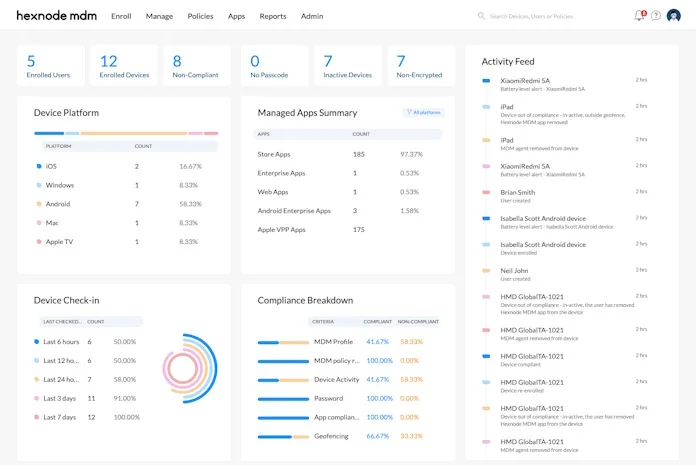
Hexnode is a go-to option for small and mid-sized businesses because it is affordable, easy to set up, and still packed with useful features.
It works across many operating systems and includes things like role-based access, kiosk mode, and geofencing. IT teams are drawn to its easy-to-use interface and short learning curve.
It may not be as comprehensive as other larger enterprise tools, but it does a great job by balancing features and price.
Key Features of Hexnode:
- Supports iOS, Android, Windows, macOS, FireOS
- Single app and multi app kiosk mode
- Tracking and geofencing
- App and content management
- Remote wipe capabilities
- Role-based access control
Best for: SMBs and mid-sized businesses looking for reasonably priced scalable solutions.
10. AirDroid Business
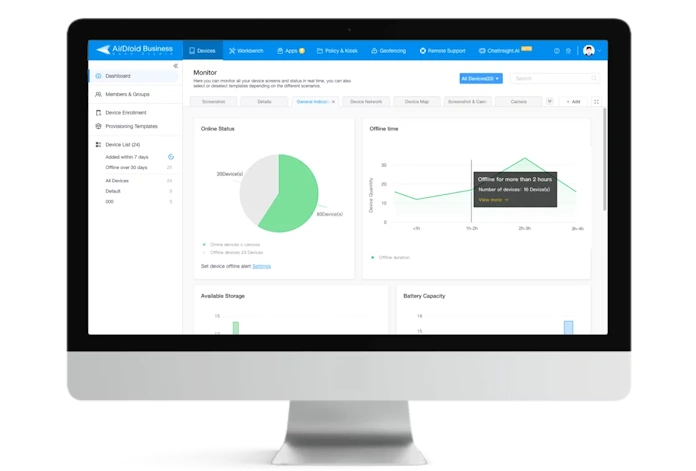
AirDroid Business is designed specifically for Android devices. It is widely used in industries like logistics, retail, and field services where Android devices are everywhere.
IT teams can take remote control of devices, install apps in bulk, and track locations in real time.Its kiosk mode is useful for POS systems, digital signage, or customer-facing tablets.
For companies running Android-only environments, AirDroid is a strong, specialized choice.
Key Features of AirDroid Business:
- Android-only device management
- Remote access and troubleshooting
- Real-time monitoring and alerts
- Bulk app installs and updates
- Location tracking and geofencing
- Kiosk mode for POS and signage
Best for: Companies with Android-heavy fleets in retail, logistics, or field operations.
Make Sure to Choose the Right MDM Solution for Your Organization
Every business has its own needs, so the right MDM depends on the devices you use, the rules you need to follow, and your IT plan.
For businesses that need an all-round solution that works across various operating systems and can also manage rugged and kiosk devices, Scalefusion is a very strong option. It is packed with features, easy to adapt, and simple to use, making things smoother for both employees and IT teams.
But the best way to choose an MDM solution is to try out a few platforms first. Before you make a choice, try them out with your real devices and workflows. This way, you can find the right tool for your business while keeping your data safe and your employees productive.