




No sign-ups. No fees. Just the complete PDF toolkit you’ve been waiting for.
If you ever wrestled with a stubborn PDF, trying to make a few more changes before that final share, only to find out, there’s no easy way online…! You’re not alone in this.
The truth is that for years, PDF conversion and editing have been locked behind subscriptions, limits, and constant upsells. However, today that changes with a free online web tool that requires nothing.
The ALL-In-One PDF editing and conversion toolkit I Love PDF 2 is free to use, and it’s already making waves among students, professionals, designers, and developers alike.
This isn’t the usual “trial version” or “basic free plan” story…!
The entire suite is open, no registration walls, no forced app installs, and no sneaky limits. Just upload, work, download, done…!
iLovePDF 2 – Toolbox Without Borders
It’s got all the basics like merge, split, compress, rotate, lock, unlock, and order pages. Simple stuff that just works. But that’s not all.
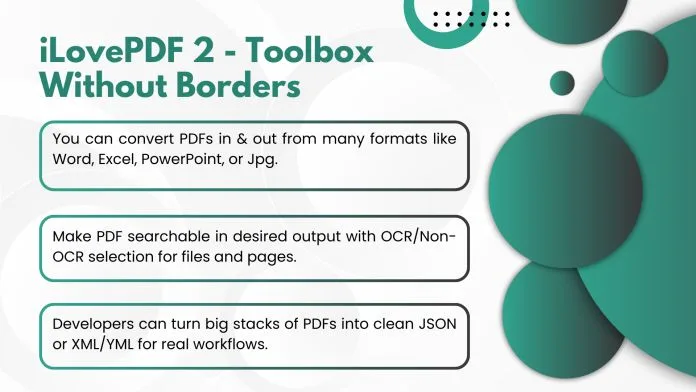
- You can convert PDFs in & out from many formats like Word, Excel, PowerPoint, or Jpg.
- Designers can keep Photoshop layers intact when going PDF to PSD or vice versa.
- Developers can turn big stacks of PDFs into clean JSON or XML/YML for real workflows.
- Make PDF searchable in desired output with OCR/Non-OCR selection for files and pages.
- And yes, batch processing is built in whether it’s a single contract or hundreds of files.
For everyday users, that means one site finally handles everything without making you juggle apps.
Editing, Signing & OCR Made Simple
Inside the browser, you’ll also find a 100% Free PDF editor online, allowing you to add text, insert images, annotate, highlight, and drop in shapes and stamps without the need for external software. The e-signature, watermark & OCR are ready to make your PDF secure and shareable in a single step with other editor tools, 100% free, without export limits.
That’s pro-level capability, no downloads required.
Privacy First, Always
One of the standout promises: files are auto-deleted after 30 minutes. There’s no permanent storage, no “cloud vault,” and no profile tracking. Sensitive documents – from contracts to IDs disappear as soon as your work is done.
And because no account is required, you don’t even need to hand over an email address. Your workflow stays fast, light, and private.
PDF Tools That Fit Into Your Day
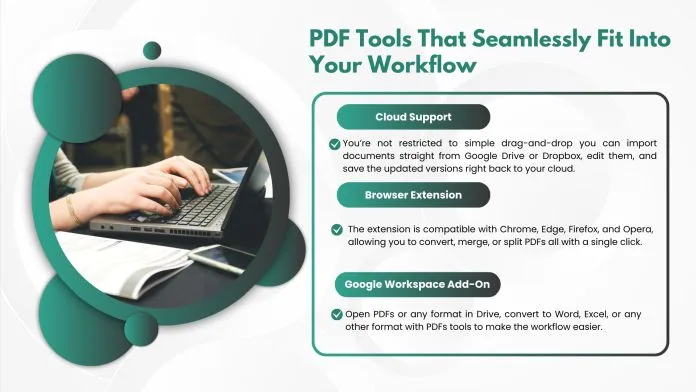
The service isn’t limited to its website. Cloud Support (Drive, Dropbox), Extensions, and add-ons let you plug these tools directly into your existing workflow:
Cloud Support: You’re not limited to just drag-n-drop; you can bring in docs directly from Google Drive or Dropbox, work on them, and save them back to your cloud.
Browser Extension: The extension works with Chrome, Edge, Firefox, and Opera. It lets you convert, merge, or split PDFs or anything with just a single click.
Google Workspace Add-On: Open PDFs or any format in Drive, convert to Word, Excel, or any other format with PDFs tools to make the workflow easier.
These aren’t extras, they’re full features plugged into the apps you already use every day for accessibility.
More Than You’d Expect (For Free)
Beyond the obvious, the PDF toolkit delivers extras you rarely see without enterprise licenses:
- Background remover for images before embedding.
- Redaction that actually removes sensitive text, not just hides it.
- Add Pagination and custom numbering across PDFs in bulk.
- Size compression options (such as shrinking this to 200 KB) without compromising quality.
It’s the kind of detailed work that makes a difference when you’re juggling deadlines.
Why People Are Talking?
Online chatter says it all. Users love that iLovePDF2’s batch tools “just work” without surprise restrictions. They love that the site is clean, uncluttered, and free of learning curves. And most of all, they love that it’s actually free – not “free-ish” or locked behind paywalls.
In a landscape where most services nickel-and-dime, this feels like someone dropped a full desktop suite into the browser and decided not to charge for it.
The Bottom Line
iLovePDF 2, a free online PDF and image toolkit, is more than a web app; it’s freedom. Freedom from subscriptions, from limited trials, from downloading risky executables just to rotate a document. Whether you’re a student scanning notes, a business owner managing contracts, a designer juggling PSDs, or a developer parsing data, it hands you the controls.
And the best part…? You don’t just save money, you save time, hassle, and the worry of what happens to your files after you upload them.
It’s the one bookmark you’ll never regret adding.