Windows 11 continues to gain traction among users looking to modernize their computing experience. With Microsoft’s latest operating system now well-established, many are considering whether it’s time to make the switch from Windows 10 or earlier versions.
What Makes Windows 11 Different
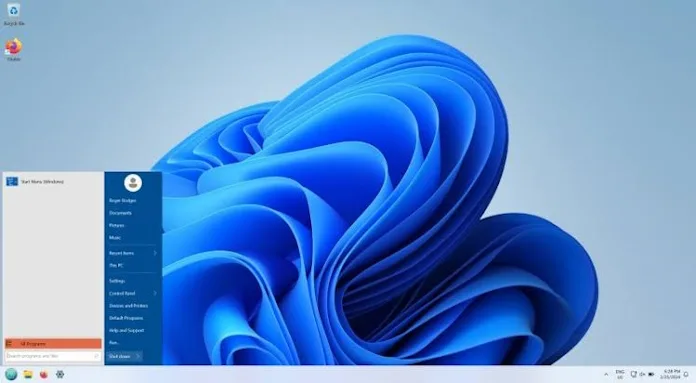
Windows 11 introduces a refreshed interface with a centered Start menu, rounded corners throughout the system, and streamlined navigation. The operating system emphasizes productivity with features like Snap Layouts for organizing multiple windows, virtual desktops for better workspace management, and Microsoft Teams integration built directly into the taskbar.
Key improvements include:
Enhanced security features with TPM 2.0 requirements and secure boot capabilities provide better protection against modern threats. The new Microsoft Store offers improved performance and supports Android apps through the Amazon Appstore integration. Voice typing has been significantly enhanced, making it easier to dictate documents and messages with greater accuracy.
Gaming performance receives notable attention with DirectX 12 Ultimate support, Auto HDR for better visual quality, and DirectStorage technology that reduces game loading times on compatible systems.
System Requirements and Compatibility
Before making the switch, users should verify their hardware meets Windows 11’s requirements. The operating system requires a compatible 64-bit processor, 4GB of RAM minimum (8GB recommended), and 64GB of storage space. Most importantly, systems need TPM 2.0 and UEFI firmware with Secure Boot capability.
Microsoft provides a PC Health Check tool that automatically scans your system to determine compatibility. Users with older hardware may find their systems don’t meet the requirements, particularly regarding TPM and processor generation limits.
The Upgrade Process
For eligible Windows 10 users, the upgrade process is straightforward through Windows Update. The system will notify users when Windows 11 is available for their device, though the rollout continues to be gradual based on hardware compatibility and Microsoft’s testing.
Users can also download the Windows 11 Installation Assistant directly from Microsoft’s website or create installation media for clean installations. The upgrade typically preserves files, applications, and settings, though backing up important data remains advisable.
What to Expect After Switching
The learning curve for Windows 11 is generally minimal for Windows 10 users. The most noticeable changes involve the repositioned Start menu and updated Settings app organization. Many users appreciate the cleaner aesthetic and improved performance, particularly on newer hardware.
Some legacy applications and workflows may require adjustments. Users heavily reliant on older software should verify compatibility before upgrading, as some programs may need updates or alternatives.
Performance and Productivity Benefits
Windows 11 demonstrates improved performance on compatible hardware, with faster boot times and more efficient memory management. The new multitasking features, including enhanced virtual desktop support and improved window management, can significantly boost productivity for users who work with multiple applications simultaneously.
The operating system also includes better support for high-resolution displays and improved battery life optimization for laptop users.
Security Enhancements
Security represents one of Windows 11’s strongest selling points. The TPM 2.0 requirement enables hardware-based security features that better protect against firmware attacks and unauthorized access. Windows Hello improvements make biometric authentication more reliable and secure.
Microsoft Defender has been enhanced with better real-time protection and cloud-based threat detection, providing more robust security without requiring third-party antivirus software for most users.
Making the Decision
The switch to Windows 11 makes sense for users with compatible hardware who want the latest security features and interface improvements. Those using older systems may need to weigh the cost of hardware upgrades against the benefits of the new operating system.
Users satisfied with their current Windows 10 setup and concerned about potential compatibility issues might consider waiting, as Microsoft continues supporting Windows 10 with security updates through October 2025. However, organizations should carefully consider the implications of delaying the transition, as security risks and compliance challenges can escalate significantly once support ends.
Bottom line: Windows 11 offers meaningful improvements in security, performance, and user experience for compatible systems. The upgrade process is generally smooth, but users should verify hardware compatibility and backup important data before proceeding.