Ever tried tracking five service requests before your first coffee kicks in? I have and it’s a mess.
Between half-heard voicemails, scribbled notes on the back of a utility bill, and a technician who swears he “never got the message,” things slip. Not because you’re disorganized. It’s just that the old way of doing things wasn’t built for today.
Mobile tools didn’t show up to impress. They showed up because we were drowning in callbacks, repeat visits, and paperwork we could never find when we needed it.
The shift to mobile isn’t flashy. It’s practical. And for property managers who are ready to stop chasing updates and start getting things done, it’s long overdue.
Why Paper Is Still the Silent Saboteur
On paper, the old method doesn’t seem too bad. Take a request, call a tech, write down what happened. But in reality?
- The request gets buried in a notebook or forgotten.
- The tech returns your call hours later when you’re already juggling three other tasks.
- The job is completed, but you’ve got no record to prove it.
- And a week later, when someone follows up, you’re retracing your steps.
That’s not efficient. It’s exhausting. And it only works until things get busy.
What Mobile Maintenance Actually Looks Like
Let’s say a tenant reports a broken fan. Instead of a phone call, they submit a request online. You get a ping on your dashboard.
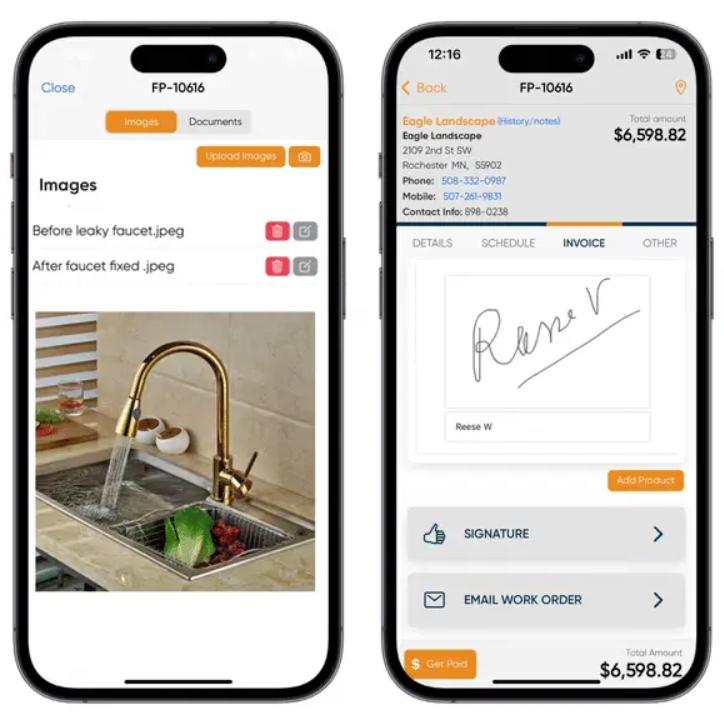
With a few clicks, the job is assigned to a technician nearby. He sees the job on his phone along with notes, photos, and exact instructions.
He gets it done by noon, uploads before-and-after photos, and marks it complete.
The tenant is notified. You’re notified. And everything is time-stamped, logged, and stored without anyone needing to follow up.
Techs Aren’t Tech-Averse,They’re Time-Averse
Managers often hesitate because they assume their team in the field won’t use the software.
But here’s the truth: technicians don’t hate tech. They hate wasted time.
Mobile apps mean no more driving to the office for job details. No more calling in for directions. And no more end-of-day paperwork.
They open their phone. They see what needs to be done. And they get moving.
In most cases, techs end up being the biggest fans of mobile systems because their workday gets a whole lot simpler.
When Everyone’s on the Same Page
A mobile system creates one place where all the moving parts of your operation come together.
You can check what’s pending, what’s finished, and who’s behind. Photos, notes, job history, it’s all right there.
No more scattered communication. No more guesswork.
And when it’s time to bill, pull a report, or explain to ownership what happened last week you’ve got proof, not stories.
Start Small, Scale Fast
Worried about the learning curve? Don’t be.
Start with one building or one technician. Let them try it for a couple of weeks. Gather feedback, see what works, and build from there.
Most platforms offer onboarding and training that’s easy to follow. And since many apps are designed for mobile-first use, it feels more like using a smartphone than learning software.
The key is to make it part of the day not an extra step.
What You Actually Need in a Tool
Not all maintenance tools are created equal. Some are built for massive corporate teams. Others are bloated with features you’ll never use.
Here’s what matters:
- A clean mobile app for techs
- Job scheduling and assignment
- Photo and note capture for records
- Real-time status updates
- Clear Reports & dashboards` for managers
Bonus points if it integrates with your accounting software or lets tenants report issues online.
The Cost Question (And the Real Answer)
Yes, software comes with a cost. But so does inefficiency.
If you added up the time spent chasing techs for updates, rewriting lost notes, or redoing a job that got missed you’d see the expense clearly.
That time is money. And mobile tools save both.
Most teams break even within the first month or two. After that, it’s all upside: faster response times, fewer mistakes, and happier tenants.
A Quick Recap
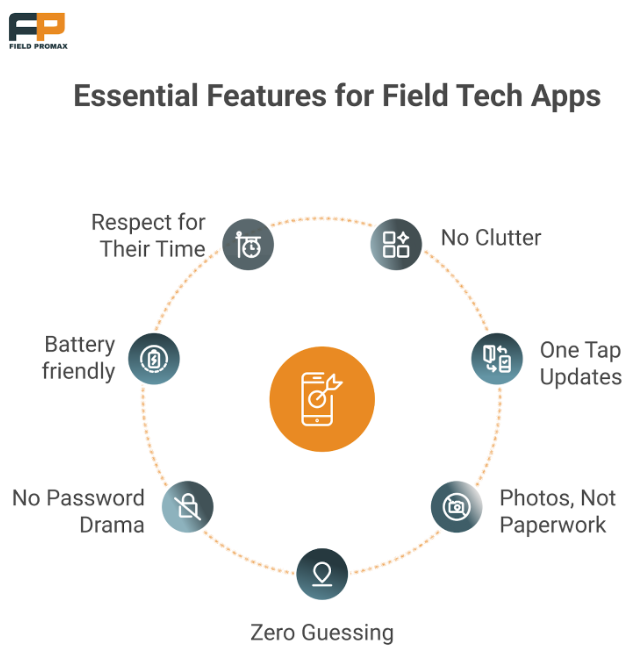
- Paper systems cause delays and confusion
- Mobile tools reduce back-and-forth and increase visibility
- Techs prefer tools that save them time
- Managers gain control without micromanaging
- The cost is usually offset by time savings in weeks, not months
This isn’t about going digital for the sake of it. It’s about getting control of your workday.
Final Thought
You don’t need a dozen technicians or a huge team to benefit from this shift.
If you manage properties, handle maintenance requests, or field angry tenant calls, you already know the pain points.
Tools like Field Promax were built for teams like yours. They won’t just make you more efficient. They’ll make your job easier.
And in this business, that’s worth more than another notebook full of phone numbers.

I’m Bhargavi Halthore, and I’ve spent the last six years diving deep into the world of digital marketing and tech. Working closely with startups and tech wizards alike has kept me entertained. What excites me most is watching how software can completely transform a business! Breaking down complex technological concepts so everyone understands them is my specialty. When not exploring these latest business software trends I can usually be found sharing what I have learned at events around America or Canada.