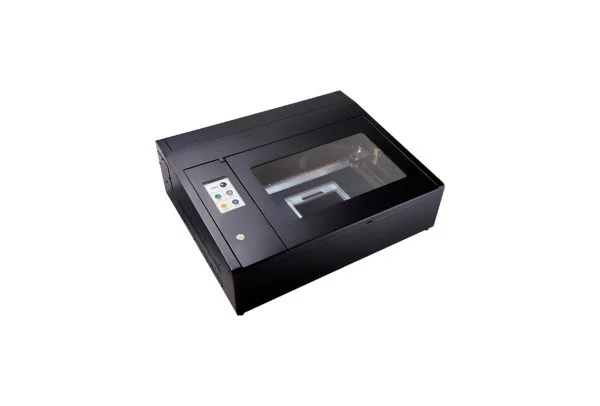
Laser cutting machines are becoming an essential tool offering precision and versatility to entrepreneurs, manufacturers and hobbyists alike. Although these machines offer high performance, routine maintenance is required to avoid permanent damage. This can ensure longevity, consistent performance and reduced downtime.
Daily cleaning, software updates, and checking alignment are some ways to extend laser cutter lifespan. This article explores more such tips in-depth for maintaining a laser cutter.
Why Laser Cutter Maintenance Matters
It is important to maintain CO2 laser cutters and engraving machines. Consistent use of a CO2 laser can trap dirt and fumes in its internal parts, leading to premature failure. These cutters need to stay in optimal performance to avoid inconsistent cuts, overheating, reduced laser power, and safety hazards.
Moreover, if you keep neglecting the scheduled maintenance after every use, your laser cutter can get permanent damage. This leads to expensive replacements as the parts can no longer be repaired.
Daily Cleaning and Basic Care
Daily cleaning of laser cutter machines is a healthy habit which prevents buildup and maintains machine performance. If you are wondering how to maintain a laser cutter, the following tips can help:
- Depending on light or heavy usage, set a daily routine to wipe the machine exterior and workspace with a damp cloth. Make sure the machine is closed when you do this.
- Ensure that the laser bed is clear of debris, small residue and leftover materials.
- The mirror lens is the most important part of your cutter, so you need industry-grade solutions for cleaning.
- A CO2 machine and laser cutter can trap smoke and residue, so you must use the exhaust function to remove them after use.
Weekly and Monthly Maintenance Checks
Even if you are not using your machine on a daily basis, it requires weekly and monthly maintenance, which is critical for its lifespan. The following are some critical laser cutter cleaning tips:
- The cooling system is one of the core components of a CO2 machine. You must inspect it and the laser tube for any ventilation issues and blockages.
- Check for any loose belts and screws that can affect the precision of the cut and can lead to unsatisfactory results.
- You must check the alignment of the mirror and adjust the beam, as this can cause inaccurate cuts.
- Blocked air pathways can cause ventilation issues, so you must check that the cooling water system is working properly.
- If you are using a laser cutter more extensively, you may need to change the filters every couple of months.
Software and Firmware Updates
Updating software is equally important for CO2 laser cutter care as its hardware. The latest softwares can offer better control, performance, security and compatibility. However, each machine is different, so you must check manufacturer updates and allow backup before updating. If you prolong the updating process, it can lead to security issues, frequent crashes, and affect your workflow.
When to Replace Parts
Even after laser engraving machine maintenance, some parts can require replacement. The following are some signs that show that the components need replacing:
- If you witness inconsistent cuts and reduced cutting powers, it’s time to replace the laser tube.
- You may witness loud noise and jerky movement, which means you must replace the belts and bearings. They can last 2-5 years respectively.
- It’s time to replace the lenses and mirrors if they have burn marks or smoke trails.
- Exhaust fans can lose their owners after 2-5 years due to smoke, fume and dust buildup.
Storing and Using the Right Materials
Laser cutter machines only work effectively with industry-grade materials that are fit for the operation. Poor materials like PVC can release harmful gases, which can corrode the core components of your machine. You must store the materials in a cool and dry space to avoid such situations. Additionally, check the manufacturer’s guidelines to ensure the material compatibility.
Top Tips to Extend the Life of Your Laser Cutter
Follow these easy tips to extend the lifespan of your laser machine, whether you are a beginner or a pro:
- Allow the cooling system to rest after longer use.
- Do test runs before cutting new materials.
- While using the machine, never leave it unattended.
- Always schedule a yearly professional service.
- Always keep a log to track the readings and maintenance progress.
Conclusion
Maintaining a laser cutter machine offers many benefits, like reliability, better results, lower operational costs, and longer lifespan. A laser cutting machine is a worthy investment that offers the best results with regular care. Check out Max Laser’s attractive selection of laser cutters, servicing support and materials.