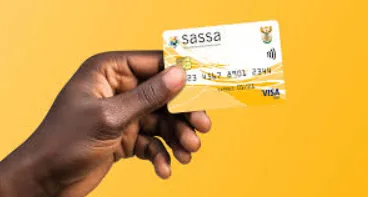
The South African Social Security Agency (SASSA) has made it easier for Social Relief of Distress (SRD) grant beneficiaries to collect their payments through major retailers like Pick n Pay. This guide explains step by step how you can withdraw your SASSA SRD money at Pick n Pay.
Choose Pick n Pay as Your Payment Method
-
 Visit the official SASSA SRD website.
 -
Select whether you are a South African ID holder or a special permit holder.
-
Enter your ID number (or file/passport number) along with the cell phone number you used during your SRD application.
-
You will receive a one-time password (OTP) via SMS. Verify it and follow the link sent to your phone.
-
On the payment selection page, choose Pick n Pay as your collection point.
-
Accept the terms and conditions and submit.
It may take up to 14 business days for SASSA to update your payment method. You will receive an SMS once Pick n Pay is confirmed as your collection point.
2. Wait for Your Grant Approval SMS
-
Do not go to the store until you receive an SMS confirming:
-
Your SRD grant has been approved.
-
Your funds are available.
-
Pick n Pay is your designated collection point.
-
Note: Not all Pick n Pay outlets participate. You cannot collect at Pick n Pay Express (BP garages), Pick n Pay Clothing, or Pick n Pay Liquor.
3. What You Must Bring
When collecting your grant, ensure you have:
-
Your South African ID document (or temporary ID).
-
The cell phone number linked to your SRD application.
-
The official SMS notification from SASSA confirming your payout.
4. How to Withdraw Inside Pick n Pay
-
Go to the checkout/till point and tell the cashier you want to withdraw your SASSA SRD grant.
-
Provide your ID number and the cell phone number registered with SASSA.
-
You will receive a USSD prompt on your phone. Approve it to authorize the withdrawal.
-
Once confirmed, the cashier will pay you in cash.
-
Sign the receipt if required and always check the amount before leaving.
5. Helpful Tips and Precautions
-
Always wait for the SMS before going to the store. Without it, your payment will not be available.
-
Make sure your phone is charged so you can receive and approve the USSD prompt.
-
Go early in the day to avoid long queues, especially during payment cycles.
-
Keep your ID safe—do not hand it over unnecessarily.
-
Do not approve USSD withdrawal requests for other people. This is a common scam method.
-
Always keep your receipt as proof of payment.
6. Why Collect at Pick n Pay
-
Convenience: Widely available across the country.
-
No extra charges: The service is free of withdrawal fees.
-
Security: Payment is only released when you approve the USSD on your own phone.
-
Faster access: Avoids long queues at Post Offices.