


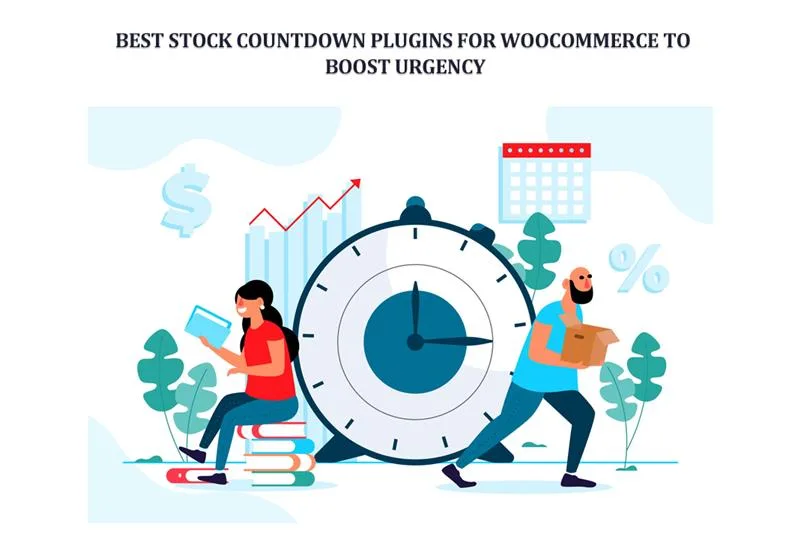
Ever felt that rush when you see a clock ticking down? The deal ends in two hours. Your heart skips. You click faster. You don’t even think twice. That’s urgency. And in e-commerce, urgency sells.
For WooCommerce store owners, countdown and stock display plugins aren’t just fancy add-ons. They’re weapons. They make people act now, not tomorrow. Because tomorrow? The deal may vanish. The stock may run out. The cart may be empty.
This article walks through the best stock countdown plugins for WooCommerce. Real tools. Practical features. No gimmicks. Just the power of time, wrapped into code.
Why Urgency Matters So Much
People hate missing out. Simple. It’s called FOMO. And FOMO is a marketer’s best friend. When buyers see something slipping away—stock dropping, time running—they panic a little. That panic? It drives action.
In physical stores, urgency is natural. You see only one shirt left on the rack. You grab it. Online, it’s trickier. Customers can wander, compare, or forget.
That’s why urgency tools matter. They recreate that in-store pressure. They say: buy now or regret later. And that’s powerful.
What Stock Countdown Plugins Do
Stock countdown plugins aren’t just ticking clocks. They’re storytellers. They whisper, “Hurry up, this won’t last.” They show how much is left. They add bars, colors, and numbers. They remind buyers—time is running, stock is vanishing.
These plugins usually come with:
- Timers for products and categories.
- Progress bars showing items sold.
- Low stock alerts.
- Flash sale options.
- Design tweaks: fonts, colors, layouts.
- Bulk settings for multiple products.
They’re not complicated. But they’re effective.
Good Stuff They Bring
Why should you care? Because these little timers change behavior. They:
- Increase conversions.
- Reduce cart abandonment.
- Push impulse buys.
- Make promotions look exciting.
- Build urgency without sounding pushy.
A store with urgency sells faster. A store without urgency? Customers stroll, think, and delay. And delay often means no sale at all.
4 Best Plugins Worth Your Time
Alright, let’s get into the real tools. These plugins are not random picks. They are trusted, tested, and available right now.
-
WooCommerce Countdown Timer
Clean. Straightforward. Strong. This plugin gives you everything you need in one place. Countdown timers on product pages. Progress bars showing sold stock. Top and bottom bars with urgency text. Works for both simple and variable products.
The fun part? Bulk apply. You can set a flash sale across multiple products or categories in minutes. Just pick the start time, end time, and discounted price. Done. The timer ticks, the bar fills, and customers rush.
Customization is big here, too. Fonts, colors, layouts—you control the look. You can even decide what happens when the sale ends. Hide the product? Reset the price? Keep the page alive? Your choice.
This isn’t just a timer. It’s a full flash-sale manager. Perfect for seasonal sales, weekend promotions, or that one-day-only deal you want to blast.
-
HurryTimer
Evergreen or fixed timers. That’s the magic. HurryTimer lets you run countdowns that reset for each visitor. Or fixed events that hit everyone at once. Imagine Black Friday. You want one global timer. Easy. Or maybe a welcome deal for new visitors—each person gets their own countdown. Also easy.
It integrates smoothly with WooCommerce. You can show timers on product pages, checkout, and even banners. Stock scarcity is also possible—you can display “Only 3 left!” to add extra push. The design is simple but sharp. And setup doesn’t feel like coding rocket science.
-
Finale – WooCommerce Sales Countdown Timer & Discount Plugin
Finale isn’t just a timer. It’s a campaign engine. Flash sales. Discounts. Stock countdowns. Progress bars. This thing does it all.
The real gem is targeting. You can target campaigns by product, category, or even user groups. Want to give VIP customers a private flash sale? Finale can handle it. Want recurring weekly deals? No problem.
It also makes your store look alive. You get sales bars, “X items sold” counters, and urgency banners. Perfect for big events—Christmas, Cyber Monday, or those random weekend promos.
-
Sales Countdown Timer by VillaTheme
This plugin is all about flexibility. Floating bars. Product page timers. Shop page timers. Everywhere. You decide where urgency shows.
It also connects with coupons. Meaning you can automatically trigger discounts with the timer. “Sale ends in 2 hours, grab 20% off.” Clean, effective. Customization is smooth. Fonts, colors, placements—it bends to your store’s look.
If you want something lightweight yet powerful, this one checks the box.
How to Use These Plugins Without Annoying Customers
Let’s be real. Overusing urgency kills trust. If every single product in your store screams, “Sale ends in 2 minutes!” people roll their eyes. They’ll think it’s fake.
So, balance is key. Use timers for:
- Seasonal sales.
- Limited editions.
- Clearance stock.
- Weekend flash promos.
Keep them real. Don’t lie about stock. Don’t keep restarting timers. Customers aren’t dumb. They’ll notice. And once trust is gone? Sales crash.
Mistakes to Avoid
Some store owners get urgency all wrong. They think more timers mean more sales. But that’s not true. Here’s what to watch out for:
- Endless looping timers. If a sale “ends in 2 hours” but resets again, customers stop believing you. Fake urgency kills trust.
- Flashy, loud designs. Blinking neon clocks look scammy. Clean, subtle timers work better.
- Countdowns everywhere. If every product is “urgent,” none of them are. Save timers for real deals.
- Bad mobile display. Most buyers shop on phones. If your timer looks broken or tiny, you lose sales.
Keep urgency real, simple, and honest. Do that, and countdowns work like magic.
Why It Works: A Little Psychology
Scarcity. That’s the heart of it. Humans value what they think is rare. Add a timer? Now it feels even rarer. That’s why these plugins are powerful.
Progress bars tap into the same brain trigger. When you see “80% sold,” you don’t want to be in the unlucky 20%. You want to win. So, you buy. Fast.
It’s not manipulation—it’s human nature. You’re just setting the stage for quicker decisions.
Examples that Prove the Point
Think of Amazon’s Lightning Deals. Timers, limited stock, banners. They rake in millions with this trick. Customers don’t pause. They buy.
Smaller stores see it too. A clothing shop running a 24-hour clearance sale clears stock faster than ever. A gadget store offering weekend promos doubles conversion rates. The timer works like a silent salesperson, nudging customers without saying a word.
Wrapping It Up
Urgency sells. Always has, always will. And in WooCommerce, countdown plugins make it effortless. Whether it’s the WooCommerce Countdown Timer Plugin, HurryTimer, Finale, or VillaTheme’s Sales Countdown, each brings its own strengths. Some are simple. Some are campaign beasts. All of them work if you use them wisely.
The key? Keep it real. Don’t fake scarcity. Don’t drown your store in clocks. Pick moments. Use urgency where it matters. Done right, you’ll see buyers move faster, carts fill quicker, and sales rise higher.
At the end of the day, it’s simple: people act when time runs out. And with the right plugin, you’re the one setting the clock.